
Guides
Turn notes and voice into to-dos with AI
Aido is a to-do list app that can turn a note into several to-dos and checklist items with AI. You can also type a sentence or speak to create a to-do. Review the results, select what you need and adjust the plan before you get started.
Content reviewed ·
Start with these steps
Capture your thoughts in a note
Open the notes tab and create a note. Write down what comes to mind, such as everything you need to prepare for a trip.
Tap the robot icon at the top
Check your remaining AI uses and the instructions, then start. Stay on the screen while Aido prepares the results.
Keep and adjust the to-dos you need
Read the suggested titles and checklist items. Remove unwanted to-dos with the close button, then edit titles, dates, times and categories to fit your plan.
Create your to-dos and get started
Create the remaining to-dos. Use Edit in a to-do's detail screen to make further changes, and mark it complete when you finish.
Try it in your day
Before a trip, collect the things you need to do in one note.
- Example note: Before my Jeju trip, I need to check flights, book a hotel and pack.
- Example to-dos: Check flights. Book a hotel. Pack for the trip.
- Add checklist items such as a charger and toiletries to the packing to-do.
This example illustrates the workflow. AI results depend on your input, so review them before creating to-dos.
Use the microphone for a short to-do
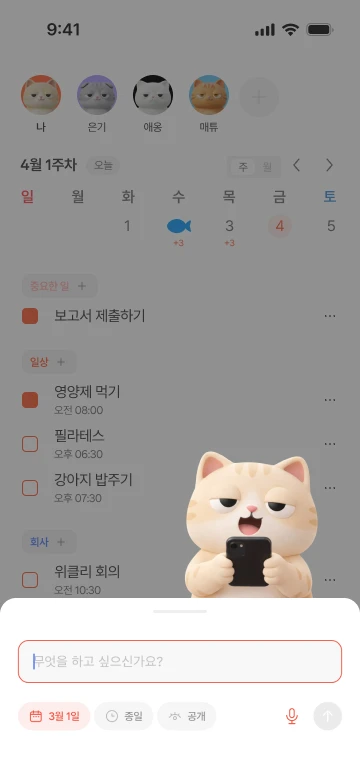
Tap the microphone button on the Add to-do screen. Say a date and time, such as 'Meet on Friday at 7 p.m.' Review the details AI fills in before saving. Voice input may require microphone and speech recognition permissions on your device.
Organize things yourself, too
You can add a to-do directly and set its date, time, repeat schedule, visibility and category. Use Convert to to-do in a note's detail screen to move the note into a single to-do.
Start free, with more room when you need it
- Free
- Start free with notes and basic to-do management. AI to-do creation and note organization share five uses per month. The limit resets at 00:00 Korea time on the first of each month.
- Premium
- Use AI to-do organization without a usage limit. Premium also includes weekly and monthly AI reports and recurring to-do suggestions.
Check the app for current subscription prices and full terms.