
Guides
Plan with recurring to-dos, calendars and widgets
Set up recurring to-dos in Aido for activities such as daily reading or weekday exercise. Review your plans in weekly and monthly calendars, and check today's to-dos and progress with home screen widgets on iPhone and Android.
Content reviewed ·
Start with these steps
Create the to-do you want to repeat
Add something specific, such as 'Read for 20 minutes.' Set a start date and choose a time if you need one.
Choose the days and date range
Open Repeat and select daily, weekdays, weekends or individual days. Choose a start and end date in the calendar, then confirm your selection.
Review the plan in your calendar
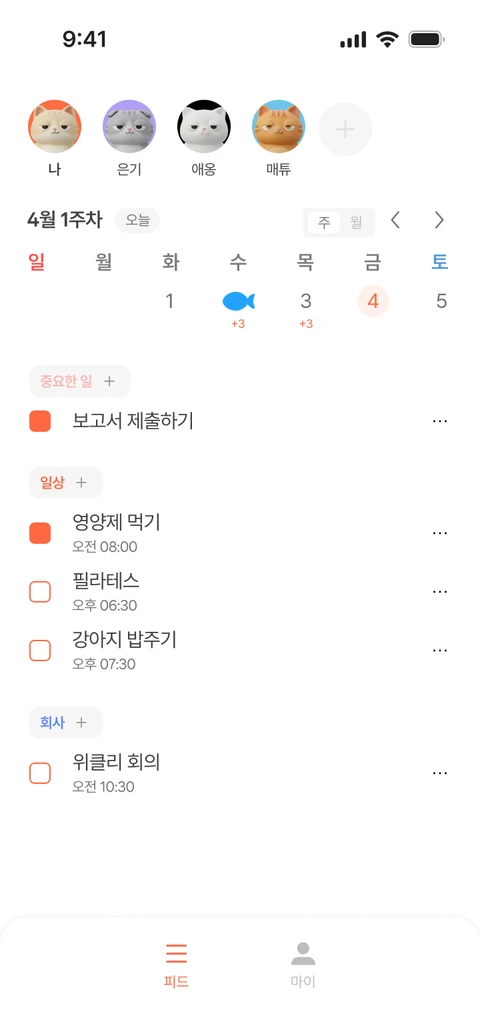
Use the weekly and monthly calendars to see each day's to-dos. Mark finished items complete. If a plan changes, check and update the relevant to-do's date or time.
Add an Aido home screen widget
Sign in to the app, then find Aido in your device's widget list. A small widget shows progress, while larger widgets also show today's to-do list.
Try it in your day
Make reading after work easier to remember with a small, specific plan.
- To-do: Read for 20 minutes in the evening.
- Repeat: Weekdays. Set start and end dates for this month's plan.
- Check today's plan in the calendar and use the home screen widget to see remaining to-dos and progress.
Widgets help you check your day. Refresh timing can vary with your device's operating system.
Add a widget on iPhone
Touch and hold an empty area on your home screen. Open Edit and choose Add Widget. Search for Aido, choose a size and add it. Menu locations may vary with your iOS version.
Add a widget on Android
Touch and hold an empty area on your home screen and open Widgets. Find Aido and place a widget on the home screen. Adding and resizing widgets can vary by device and launcher.
If the widget shows older information
Open Aido and check your sign-in status and today's to-dos. Check whether changes appear in the widget. If it says a new day has started, open the app again to refresh your view.
Start free, with more room when you need it
- Free
- Set recurring to-dos yourself, use weekly and monthly calendars, and add home screen widgets on iOS and Android.
- Premium
- Review your progress with weekly and monthly AI reports. Accept the AI's recurring to-do suggestions that fit your routine.
Check the app for current subscription prices and full terms.